Connect with us

Tech & Innovation

4 Productivity tips for a partially remote workforce

As COVID-19 continues to batter the world, so the way things are done continues to change. Nowhere is this more apparent than in running businesses.

Published

on

Photo by Compare Fibre from Unsplash.com

As COVID-19 continues to batter the world, so the way things are done continues to change. Nowhere is this more apparent than in running businesses.

For a New York City area remote workforce IT consultant, there are productivity tips that can be applied with the changes, e.g. when dealing with a partially remote workforce. These tips focus on remote-first IT solutions.

“As businesses reopen, many will implement a hybrid workplace model, with a mixture of in-office and remote employees,” stated Jennifer Mazzanti, CEO, eMazzanti Technologies. And so below are a few excerpts from the article, “4 Productivity Tips for a Partially Remote Workforce.”

1. Focus on Remote-first IT Solutions

“Companies that take a remote-first approach implement solutions that provide a great experience for both in-house and remote workers. For instance, using video conferencing for every meeting helps to ensure engagement from all participants.”

2. Uncover the Benefits of a Virtual Desktop

“In a virtual desktop environment, the operating system, applications, and data live on a central server, either on premises or in the cloud. Administrators create preconfigured images of the applications and operating system, tailored to each end user.”

3. Remember Endpoint Security Basics

“While virtual desktops centralize many important security functions, endpoint security remains an important factor with remote work. Any device that connects to the network presents a possible access point for hackers.”

4. Trusted IT Partner

Seek help from IT people to navigate the challenges and opportunities of a hybrid workforce – e.g. from comprehensive cyber security to cloud computing and network management. If possible, tailor systems to specific business needs.

Tech & Innovation

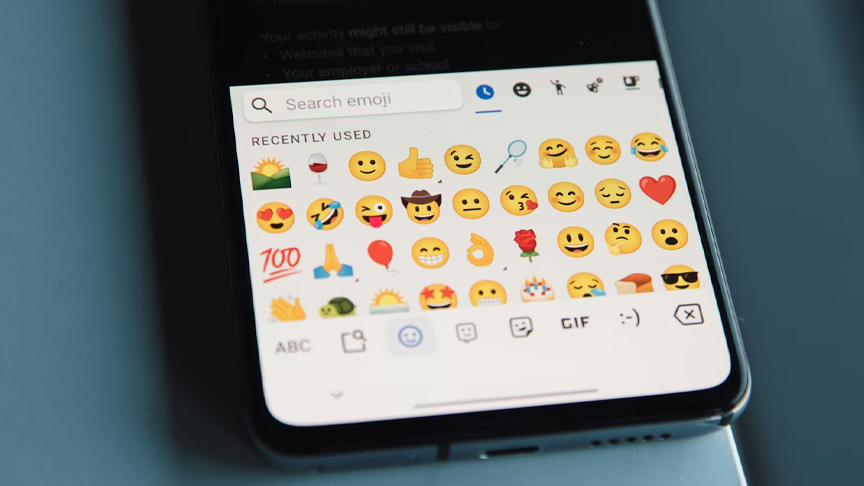
Should emojis be used in workplace communications?

Messages with no emojis were clearly the winner, making the sender appear more competent and professional.
Published

on

When people interact in person, subtle signals like facial expressions, body language and tone of voice play a crucial role in communicating intent and meaning, whereas written communications lack these non-verbal cues and can lead to misinterpretation or assumptions. The advent of emojis became a popular tool to provide context to written messages and they work in many settings. But how are they perceived in workplace communications?  Not so well.

Researchers from the SUniversity of Ottawa examined how emojis impact perceptions of competence and appropriateness for those who utilize them in professional settings. For this small-scale study, participants read workplace instant messages that varied in tone and emoji use.

Key findings

Here is what the researchers found:  

  • Messages with no emojis were clearly the winner, making the sender appear more competent and professional.
  • Positive emojis enhanced impressions when paired with a neutral or positive message.
  • Negative emojis were consistently considered inappropriate for workplace communication as they made senders seem less competent, especially when the message itself was already positive or neutral.
  • Gender dynamics were at play as women judged negative messages from other women more harshly than negative messages from men, rating them as less appropriate.

“This study highlights the importance of being mindful about the potential impact of emojis on professional interactions,” writes lead author Erin L. Courtice from the School of Psychology at the Faculty of Social Sciences at uOttawa. “Emojis are not simply neutral add-ons to text messages; they can influence how others perceive us, particularly in terms of competence and appropriateness. By understanding the nuances of emoji use, professionals can leverage these digital tools to enhance their communication and build stronger workplace relationships.”

Emojis are not a salvo for covering up errors

Positive emojis do not soften bad news or critical feedback – instead, they may create a sense of dishonesty and insincerity when used in a negative message. Negative emojis should generally be avoided because they produce low perceptions of overall competence even if the crux of their meaning is clear and understood in an appropriately framed message.

Researchers found that employing an emoji is not always beneficial: for example, adding a positive emoji to a positive sentence did not increase a perception of appropriateness. The tone of the message was seemingly more important, as mixed signal messaging can potentially affect an employee’s willingness to collaborate on future projects and affect professional trust.

“Future research should consider how emojis function within broader communication patterns, examining outcomes such as conversation flow, rapport building, conflict resolution, and team cohesion in digital workplace environments,” writes Courtice, who collaborated with professor Isabelle Boutet whose research program studies both how humans analyze social cues conveyed by faces, and how digital communication is enhanced by emojis to communicate emotions and social traits.

The full research team included: Erin L. Courtice, Megan Lawrence, Charles A. Collin, and Isabelle Boutet.

Continue Reading

Tech & Innovation

Augmented reality menus may help restaurants attract more customers, improve brand perceptions

AR menus can significantly increase customers’ interest in visiting a restaurant and may result in more positive word-of-mouth marketing, when compared to printed or QR-code menus.

Published

on

Restaurants looking for new ways to engage and inform customers may benefit from incorporating augmented reality (AR) technology into their menus, according to new research from Washington State University.

The study, published in the International Journal of Hospitality Management, finds that AR menus can significantly increase customers’ interest in visiting a restaurant and may result in more positive word-of-mouth marketing, when compared to printed or QR-code menus.

Led by Soobin Seo, professor of hospitality business management at the Carson College of Business, the research examined whether AR could enhance how restaurants present farm-to-table information — details about where ingredients are sourced and how food is produced.

“Consumers increasingly want transparency about where their food comes from, but the way that information is presented really matters,” Seo said. “Augmented reality allows restaurants to share that information in a more vivid, interactive and engaging way.”

The research included two experimental studies designed to reflect how diners encounter menus in real restaurant settings. In the first study, participants viewed one of three menu formats at a simulated local restaurant: a traditional printed menu, a QR-code menu, or an AR menu. The AR menu allowed users to see a three-dimensional food item through their smartphone and tap individual ingredients to learn where they were sourced.

Participants in the study indicated higher intention to visit a restaurant after viewing the menus using AR, and a greater likelihood of sharing the information with others —compared to when they viewed standard menu formats. Participants also reported feeling more immersed in the experience and believed they learned more about the food and where it comes from.

“These immersive experiences help people pay closer attention and feel like they’re actually learning something,” Seo said. “That combination appears to drive stronger interest in the restaurant itself.”

A second study explored how AR menus might work in chain restaurant settings comparing Panera Bread and McDonald’s, where brand perceptions vary widely. Researchers compared consumer responses to AR-based farm-to-table information presented by brands with healthier reputations (e.g. Panera Bread) and those typically viewed as less healthy (e.g. McDonald’s).

While AR menus improved perceptions across both brands, McDonald’s experienced a larger increase in perceived healthiness and visit intentions than Panera Bread.

“When expectations are low, transparent and interactive information can have an outsized impact,” Seo said. “For brands that aren’t typically associated with farm-to-table practices such as fast-food restaurant chain brands, AR disclosures may help offset negative perceptions.”

The study also found that the effectiveness of AR menus is somewhat influenced by how well the technology aligned with a restaurant’s overall brand image, highlighting the importance of “strategic fit” when adopting new technologies, said Seo.

Although AR menus are still relatively uncommon in the restaurant industry, Seo said the technology is becoming more accessible and feasible, even for independently owned restaurants.

“There are already low-cost tools restaurants can use to experiment with augmented reality,” she said. “This isn’t just about being flashy. It’s about providing meaningful information in a way that feels engaging and responsible.”

Beyond marketing benefits, the researchers suggest AR menus could encourage more sustainable practices by motivating restaurants to be more transparent about sourcing and to strengthen relationships with local producers.

“This is a potential win for restaurants, consumers and communities,” Seo said. “It shows how emerging technology can support sustainability while also enhancing the dining experience.”

In addition to Seo, co-authors include Jiyoon (Jennifer) Han, assistant professor of hospitality and tourism management at the Isenberg School of Management at the University of Massachusetts Amherst, and Elizabeth Howlett, professor of marketing at WSU.

Continue Reading

Tech & Innovation

Epson launches SureColor-S7130 as latest addition to acclaimed SC S-Series of eco-solvent printers

With the equipment segment expected to capture more than 75% of the market revenue in Asia Pacific’s commercial printing market, where there’s also a growing demand for short-run and on-demand printing, the SC-S7130 aims to meet evolving needs by empowering businesses to operate more competitively and sustainably.
Published

on

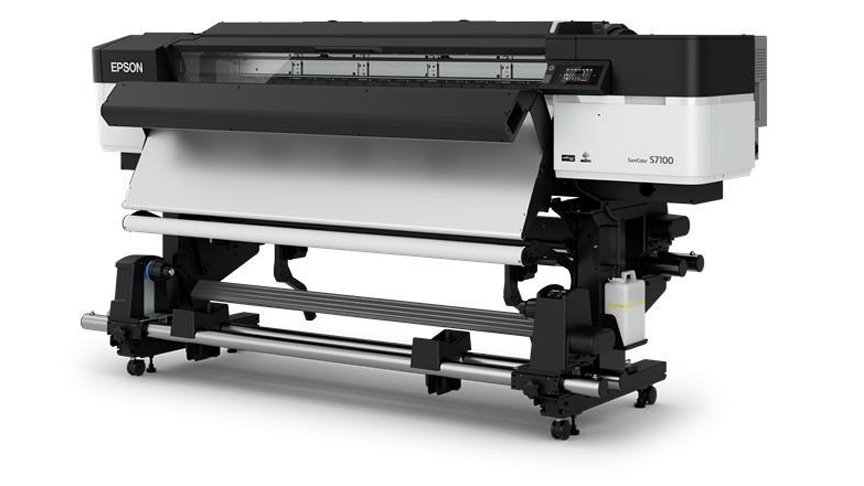
Epson launched the SureColor-S7130 (SC-S7130), the latest addition to its acclaimed SC S-Series of eco-solvent printers. Designed for print service providers specializing in small-volume production, the SC-S7130 combines enhanced productivity, reliability and print quality in a cost effective solution, making it a significant upgrade from its predecessor, the SC-S40670.

With the equipment segment expected to capture more than 75% of the market revenue in Asia Pacific’s commercial printing market, where there’s also a growing demand for short-run and on-demand printing, the SC-S7130 aims to meet evolving needs by empowering businesses to operate more competitively and sustainably.

Engineered for Productivity and Performance

The SC-S7130 features an upgraded PrecisionCore Micro TFP Printhead, delivering close to a 24% increase in print speed in default mode[1]. Equipped with 3,200 nozzles and a wider printhead than its predecessor, the SC-S7130 achieves expanded print width in one pass—improving throughput across all print modes.

To minimize graininess and banding, the nozzles on the SC-S7130 have been specially redesigned to release smaller M-sized dot and larger L-sized dot for high quality print.

Ease of use is a hallmark of the SC-S7130, which features a 4.3-inch touch display for intuitive operation even when wearing gloves. The SC-S7130 also comes with Epson Edge Print Pro, the latest edition of Epson’s advanced image processing and production software that enhances user convenience and remote management during operations. Further, a new ‘Text Sharpness’ mode in Epson Edge Print Pro enables precise and crisp text printing with the SC-S7130.

Printing made Ultra-Reliable

In addition to a newly designed printhead guard that flattens jammed media to prevent damage to the printhead, the carriage temperature sensor is now mounted closer to the nozzle surface for a more accurate reading. The sensor also detects temperature changes quickly, maintaining consistent color reproduction across jobs.

Equipped with a new Nozzle Verification Technology that monitors nozzle performance in real-time, the SC-S7130 is capable of automatically detecting clogged nozzles and triggering an alert so that businesses can act quickly, ensuring print quality is not compromised across jobs.

The SC-S7130 uses Epson UltraChromeTM GS3 inks in 800ml ink packs, replacing the 700ml ink cartridge found in its predecessor, thereby reducing waste and the frequency of ink replacements. Furthermore, the Epson UltraChromeTM GS3 ink technology is GREENGUARD Gold certified for low chemical emissions and volatile organic compounds, making it safe for long-term indoor use.

A Holistic Solution for Diverse Printing Needs

In addition to delivering exceptional performance and enhanced productivity, the SC-S7130 also integrates seamlessly with Epson Cloud Solution PORT, providing businesses with a holistic solution for managing their printing needs. This intuitive, cloud-based remote monitoring software offers real-time insights into printer fleet performance, usage and efficiency, empowering print service providers to make data-driven decisions.

With Epson Cloud Solution PORT, businesses can also seamlessly integrate large printer fleets, monitor printer status, track ink consumption and access operation history remotely, to ensure optimal performance at all times.

“The SC-S7130 is engineered for a wide range of applications, including outdoor and indoor signage, banners and more. Its versatility and reliability, coupled with its cost-effective ownership, make this printer a valuable addition to any print service provider’s lineup,” said Noelle Gonzalez, Head of Marketing and Customer Service at Epson Philippines Corporation. “The SC-S7130 is a testament to Epson’s dedication to creating innovative solutions that empower businesses to remain competitive while meeting their unique needs.”

[1] Printing speed increased 23.8% in default mode using adhesive vinyl in 600 x 1200dpi, 6-pass.

Continue Reading
Advertisement
Advertisement

Like us on Facebook

Trending